
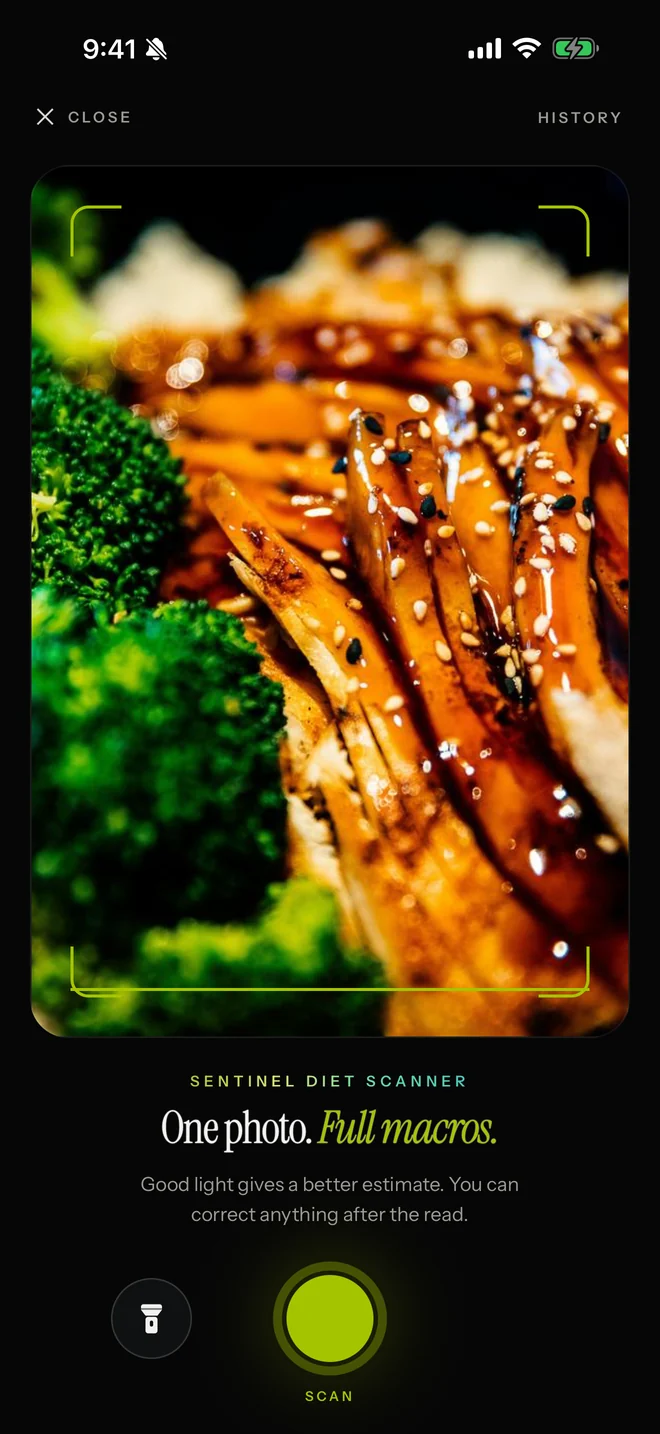
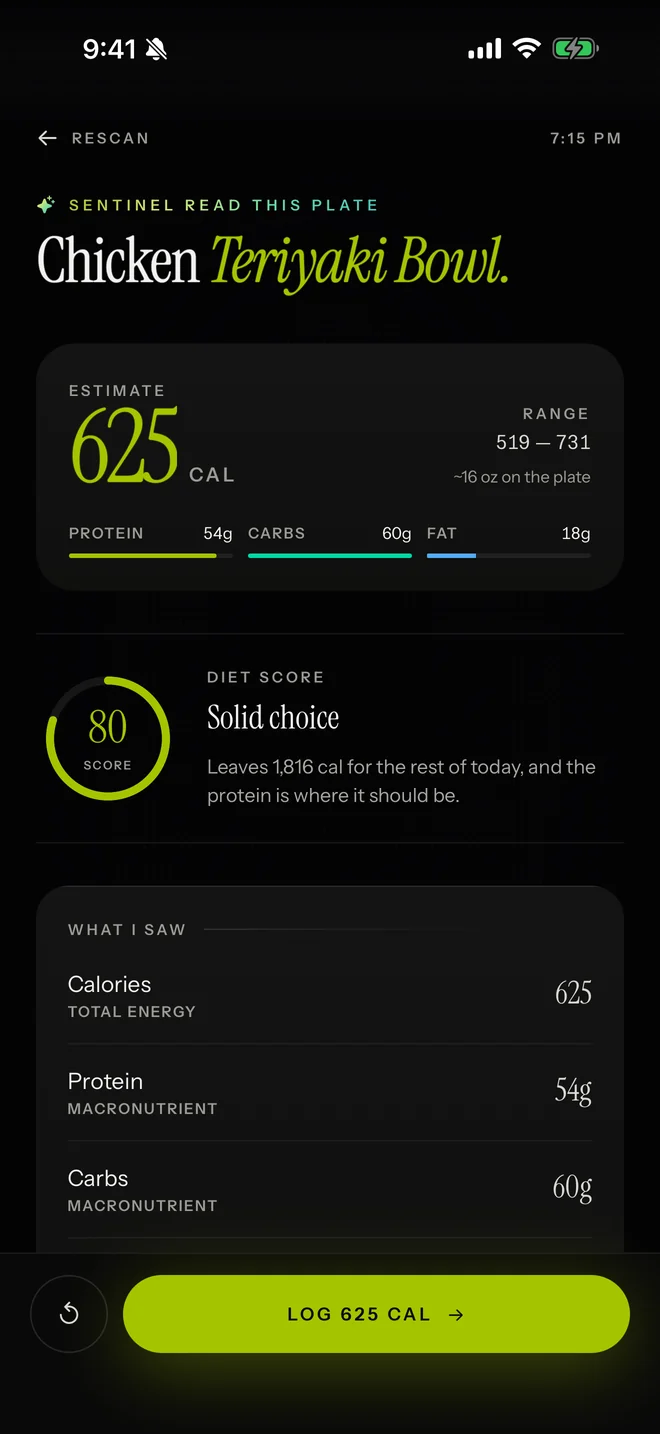
Diet scanner
Photograph a meal for an estimate of calories, protein, carbs and fat, with the calorie range shown.
iPhone · Training and discipline
Your training. Your discipline. Your system.
A training plan built from your answers, a clear call on what to train today, and Shield to keep the apps you've chosen restricted until your session is complete.

Why
The scroll wins by default. It is always one tap away, it never runs out, and it never asks anything of you. Training asks for everything. SENTINEL changes the order: today's session comes first, the apps you've chosen wait, and every day you show up goes on the record.
Take control
Real recordings from the app, on an example account.
One clear call each day: what to train, and why.
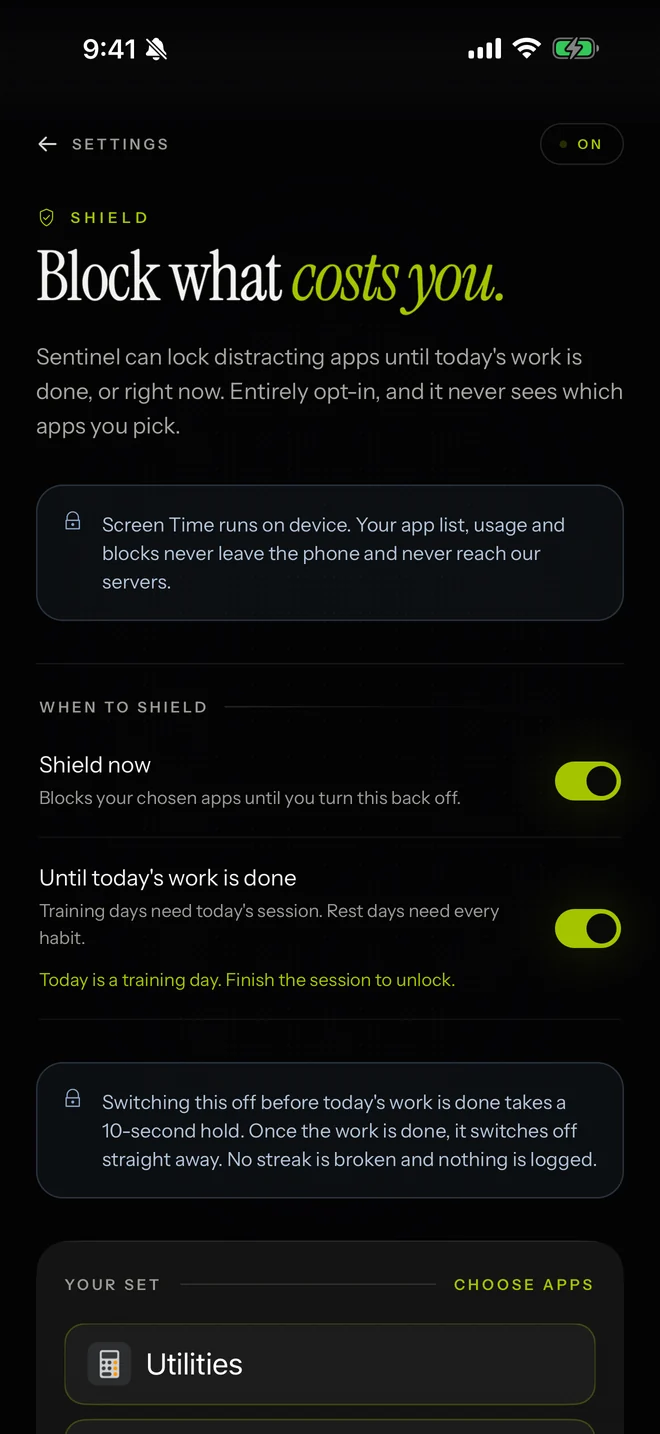
Shield helps you stay focused by restricting the apps you've chosen until your training session is complete.
Uses Apple's Screen Time permission, which you grant in iOS. Your app list stays on your iPhone.
01
You pick which apps Shield restricts, and can change them or switch Shield off in Settings → App blocking.
02
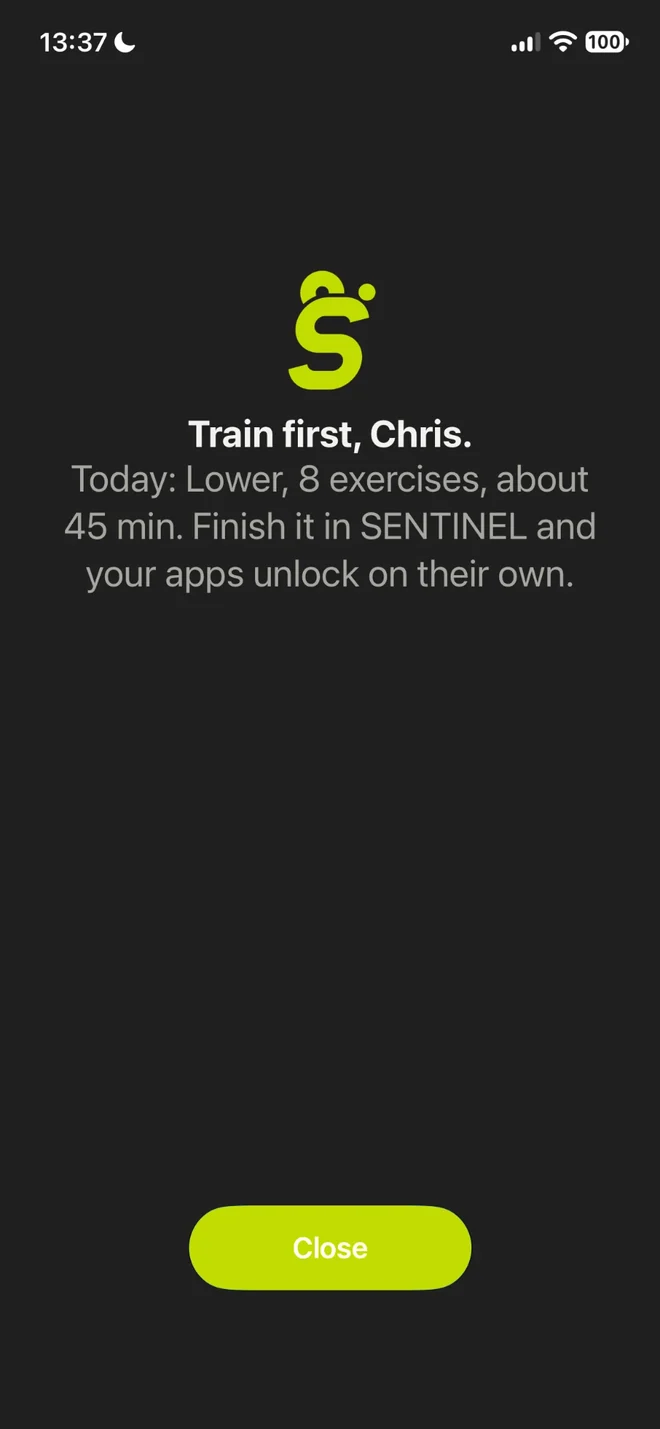
Open one of them before your session and Shield asks you to train first. Finish the session in SENTINEL and your apps unlock on their own.
Train intelligently
Ask anything. The coach reads your logged sessions, habits and weight, and answers from your data, not a template.
I only have 20 minutes today
Since you are short on time today, I can trim your Full Body HIIT session down so you can get right to work.
Today's session, shorter. about 30 → about 20 min
General fitness guidance, not medical advice.
Every set, rep and rest, with how to perform each exercise and advice when a lift stalls.
Each exercise has a demo with the muscles it works, and the set is timed for you. Each one also shows what you did last time and what to aim for today.
Photograph a meal for an estimate of calories, protein, carbs and fat, with the calorie range shown.
Measure progress
Your weight trend, body measurements and training history over time, read honestly, including the days you missed.
Shown on an example account.
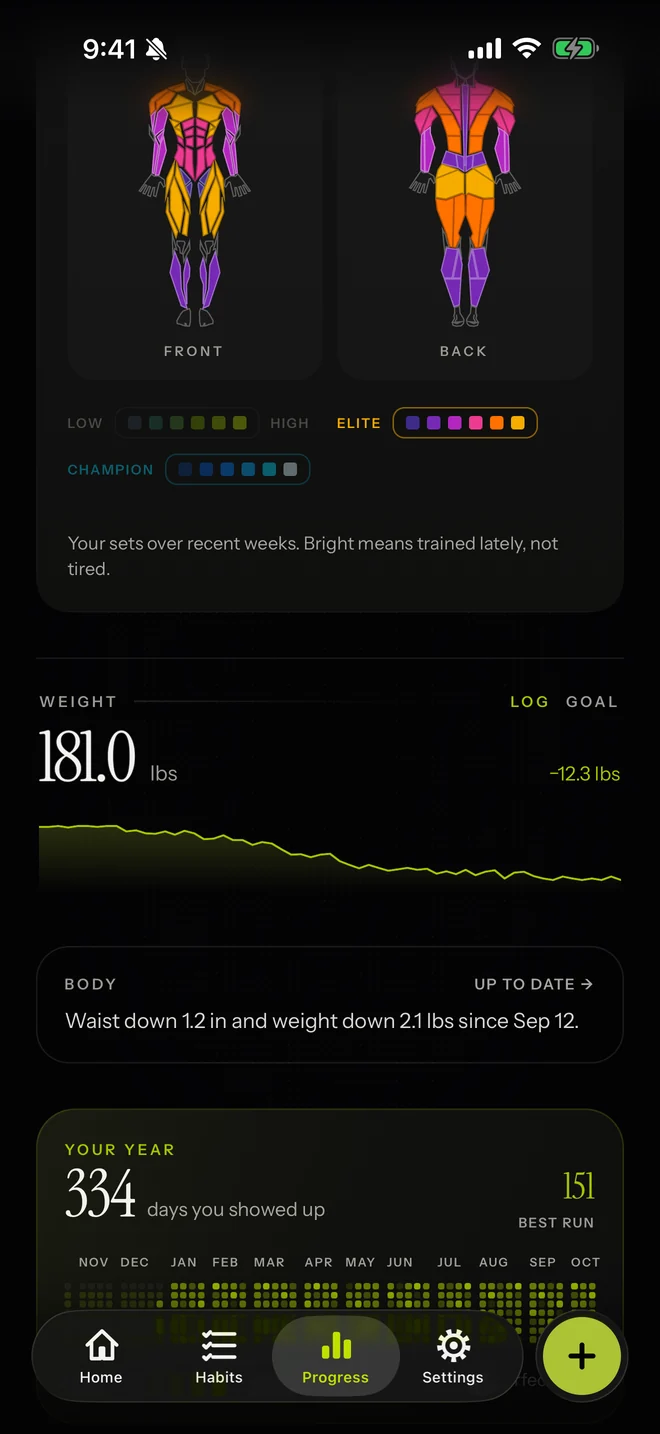
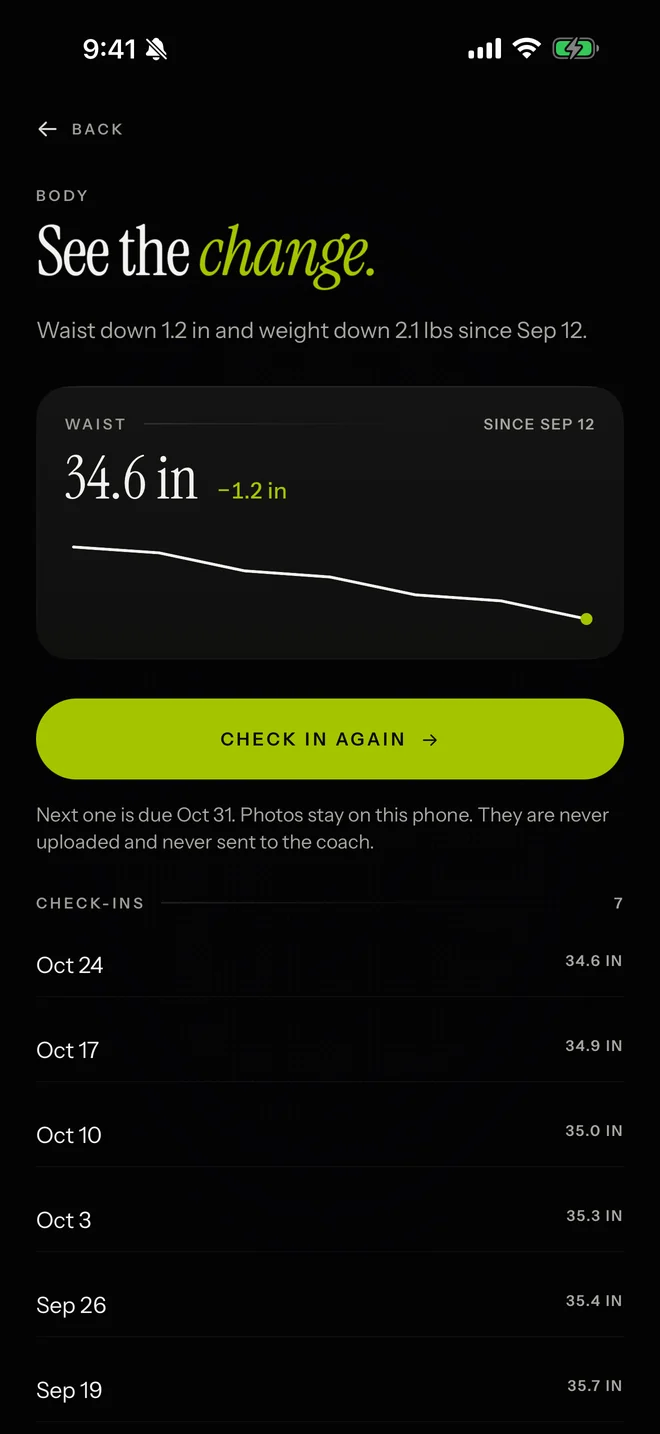
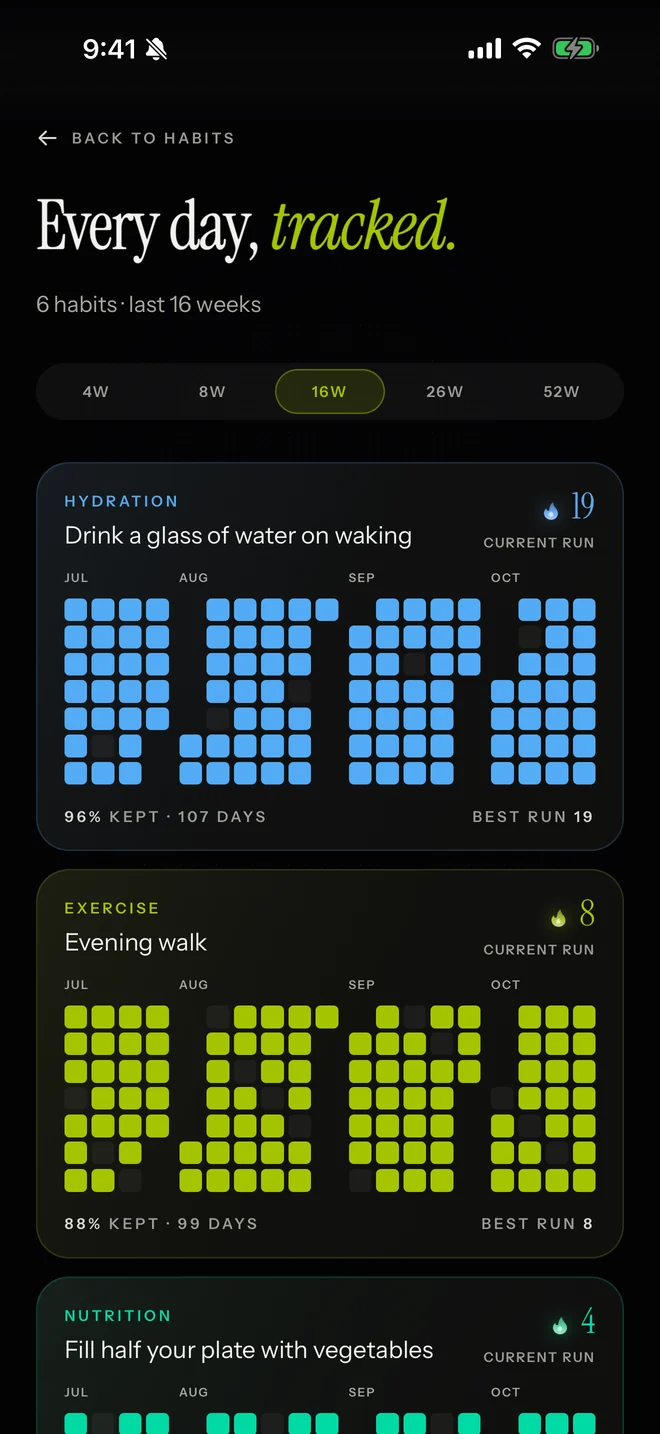
Small daily habits, with streaks you can see.
How it works
Answer questions about your goal and your days. Your answers become your plan: your training days, your sessions and a weekly target.
Today's Signal says what to train. Shield restricts the apps you've chosen until the session is complete.
Streaks, progress and a weekly recap show what you actually did.
Your data
Some features need a server. Here is what goes where, in plain words.
Your training log, habits, weight, meals and the photos of meals you log are kept on your iPhone. So are your Apple Health readings and the apps you choose for Shield.
It sends your question with a summary of your goal, weight, habits, training and meals, or the photo of a meal you scan, through our server to Google Gemini to write the answer. Our server keeps none of it. Google keeps request logs for a limited time to detect abuse and doesn't train on them.
Your first name, goal, current and best streak, and this week day by day go to our server for their link, and their page loads two fonts from Google. Settings → Reset all data deletes it from our server when your phone is online.
Every request carries an anonymous install ID, your app language, time zone, IP address and the anonymous ID RevenueCat gives your app, so our server can limit abuse and confirm your subscription. A genuine-app check (App Attest) keeps an anonymous key for your install on our server, with how many AI uses it has had (kept up to a year). The request counts by install ID and IP address are deleted within a day.
Pricing
Best value
$79.99/year
About $6.67 a month. Save 58% compared with paying monthly.
Why a year
Discipline is built over months, not days. A year gives the system time to work: Progress shows real trends instead of one good week, and your streak has room to grow.
Monthly
$15.99/month
7-day free trial on Monthly if your Apple ID hasn't had one before, then $15.99/month.
Everything in Premium
Both plans include everything.
Payment is charged to your Apple ID. Subscriptions renew automatically unless canceled at least 24 hours before the end of the period. Cancel anytime in your iPhone's Settings. US prices; other countries may differ.
FAQ
No. Monthly starts with a 7-day free trial if your Apple ID hasn't had one before, then Premium. Yearly has no trial.
Shield helps you stay focused by restricting the apps you've chosen until your training session is complete. It is off until you set it up in Settings → App blocking and allow Apple's Screen Time permission. You choose the apps, and you can change them or switch Shield off there. Switching it off before the day's work is done takes a 10-second hold; once the work is done, it switches off straight away. Your app list stays on your iPhone.
The AI features send what they need to Google Gemini through our server when you use them. Apple Health data stays on your iPhone. If you add a training partner, your first name, goal, current and best streak, and this week day by day also leave your phone for their link. Every request to our server carries details such as a random install ID, your app language, your time zone and your IP address. Every flow is listed on the Your data page.
No. SENTINEL is for iPhone.
In your iPhone's Settings: tap your name, then Subscriptions, then SENTINEL.
Email support.sentinelapp@gmail.com.